

Vanity Mirror ©
Read our comprehensive review of Vanity Mirror, the ultimate Mac video preview window designed to help you look perfect before and during online meetings.
The Perfect Solution for Mac Video Conferencing
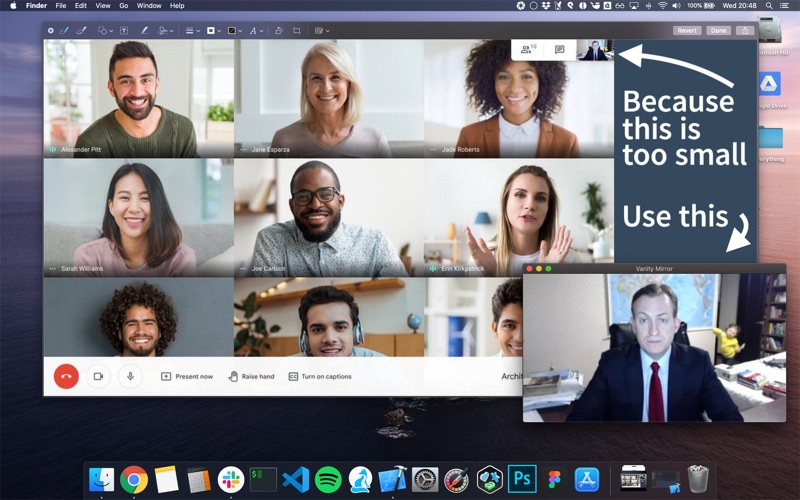
Imagine this scenario: you are about to join a critical business presentation or a virtual job interview on your Mac. You click the link, but the video conferencing platform only shows your camera feed in a tiny, thumbnail-sized window. You find yourself squinting, trying to make sure your lighting is adequate, your background is presentable, and you look professional. The Vanity Mirror video preview window solves this exact headache by putting you in complete control of your on-screen appearance.
Developed by APP KTCHN LTD, this dedicated utility acts as a personal, always-on-top digital mirror. Instead of relying on the restrictive preview windows of various meeting clients, this app gives you a reliable, independent view of your camera stream whenever you need it.
Key Features of the Vanity Mirror Video Preview Window
Designed specifically for macOS, this utility focuses on simplicity and utility. Here is what makes it an essential tool for remote professionals:
- Always-on-Top Floating Window: The application stays pinned above all your active browser tabs and presentation slides, ensuring you never lose track of what your audience is seeing.
- Seamless Menu Bar Integration: You can show or hide the camera window instantly with a quick click of the menu bar icon, keeping your workspace clean when it is not needed.
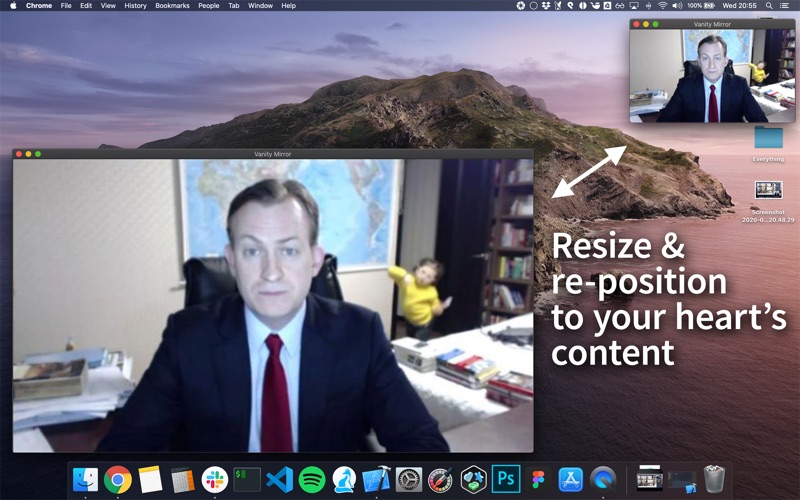
- Flexible Resizing and Positioning: Unlike rigid in-app previews, you can drag, resize, and position this window anywhere on your desktop to match your eye line.
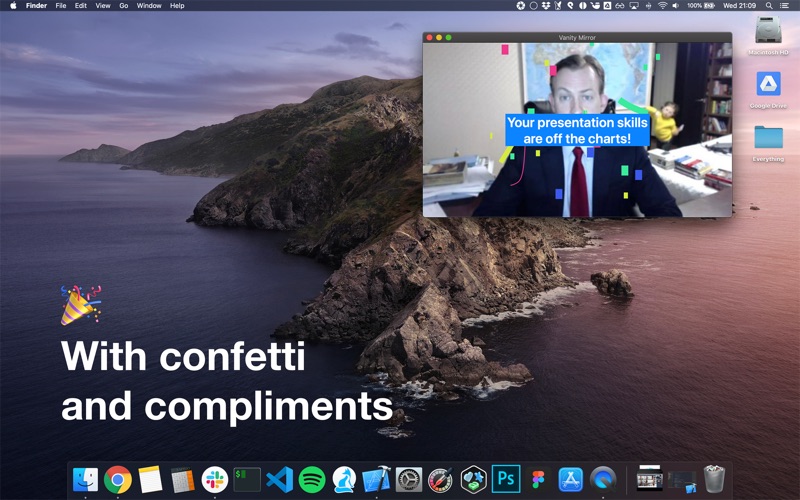
- Cheer Up Your Workday: To ease the stress of back-to-back virtual meetings, the app features delightful additions like virtual confetti and compliments to brighten your mood.
Who is This App For?
The Vanity Mirror video preview window is a must-have utility for remote employees, educators, online presenters, and anyone who spends a significant portion of their day in virtual meetings. By letting you monitor your frame in real-time without cluttering your main workspace, it ensures you remain perfectly framed, well-lit, and professional throughout your calls.
Enhance Your Meeting Setup
If you are tired of tiny, hidden camera previews during your virtual collaborations, this utility is the perfect lightweight solution for your Mac. To try this streamlined utility for yourself, head over to the official Mac App Store to explore the application and elevate your video calling experience.